
AFT8 Common Issues When Installing into NinjaTrader 8
Typical Reasons for Installation Errors
1) Antivirus interfered with install (turn off or configure AV to accept/ignore etc.)
2) OneDrive or file replication is causing issues with installation (turn off or ignore NinjaTrader folder)
3) Possible third-party component issue/conflict (check NT8 control center log for errors)
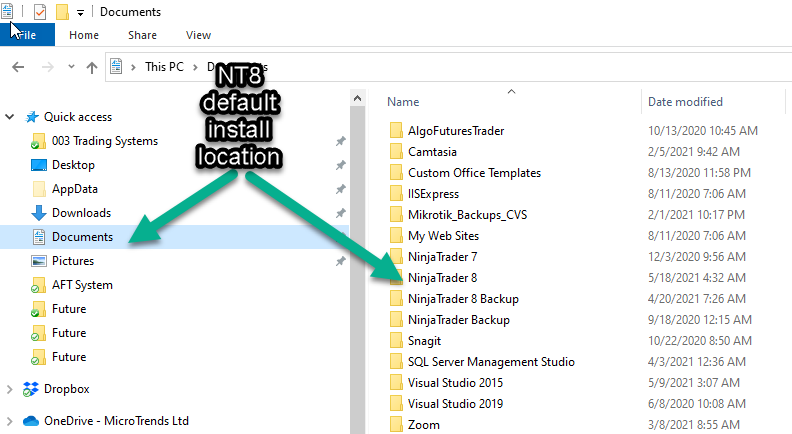
4) NT8 default installation options were changed - NT8 installation location is not default "My Documents/NinjaTrader 8": (manually change install location in installer)
5) Pre-Requisites wrong OS version or language and datetime regional formats (AFT8 Quick Start Check List)
Symptoms When Starting NT8
- Missing files after installation popup errors on NT8 start (AFT8 Re-install)
- Charts are blank when viewing workspace (AFT8 Re-install)
- Algo Systems are blank in the market analyzer (Pre-Requisites)
Related Links
- AFT Downloads Guide has in-depth info and methods to resolve
- AFT8 Installation
- AFT8 Quick Start Check List